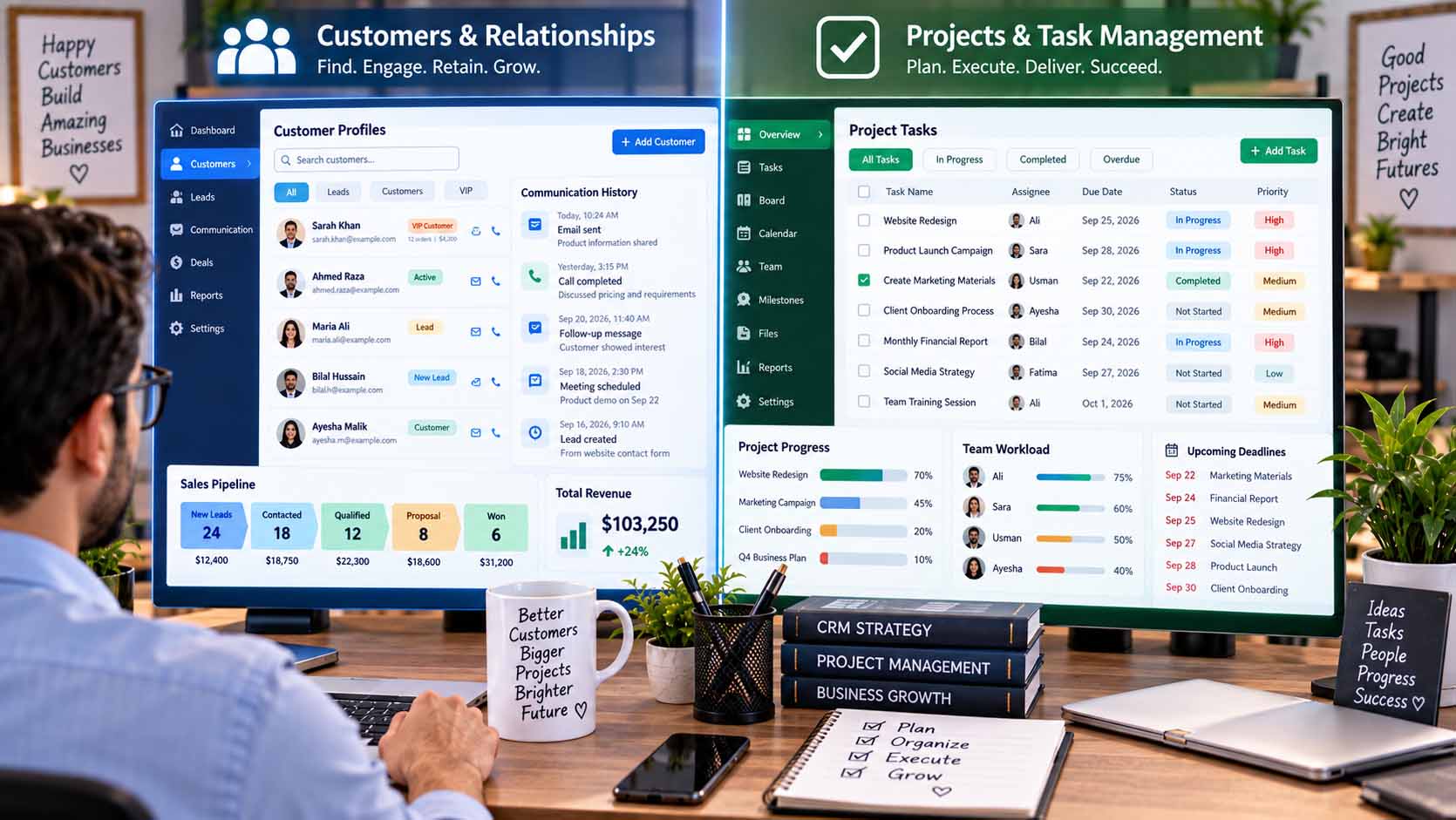
The main difference between CRM vs project management software is what each system is designed to organize. Customer relationship management software primarily manages prospects, customers, sales interactions, and relationship data. Project management software organizes tasks, deadlines, responsibilities, resources, and progress required to complete defined work.
A business may need one, both, or neither type of platform depending on how it sells, serves customers, and manages its internal workload.
What Does CRM Software Do?
CRM stands for customer relationship management.
A CRM system creates a structured place for information connected with prospects and customers. Instead of keeping contact details, sales conversations, follow-up notes, and opportunities across separate spreadsheets or inboxes, businesses can organize them around individual contacts or accounts.
Common CRM functions may include:
- Contact and company records
- Sales opportunities
- Lead tracking
- Communication history
- Follow-up reminders
- Sales pipeline stages
- Customer notes
- Basic reporting
The central entity is usually the customer or prospect.
For example, a consulting company might use its CRM to see when a prospect first made contact, which services were discussed, who manages the relationship, and what follow-up action is required.
What Does Project Management Software Do?
Project management software focuses on work that needs to be completed.
Its central entities are typically projects, tasks, deadlines, milestones, and team responsibilities.
A project platform may help a business divide a large objective into smaller activities, assign those activities to team members, set deadlines, share files, monitor dependencies, and track progress.
For example, an agency developing a new website could create tasks for research, design, content, development, testing, and final approval.
The system helps answer questions such as:
Who owns this task?
When is it due?
What needs to happen first?
Which activities are complete?
What is preventing the project from moving forward?
CRM vs Project Management Software: The Core Difference
The easiest way to understand the distinction is to consider what each platform follows over time.
A CRM follows the relationship.
Project management software follows the work.
Suppose a potential client contacts a marketing agency.
The CRM could track the prospect’s contact information, sales discussions, proposal status, and decision to become a customer.
Once the client hires the agency, project management software could organize the actual campaign, including research, creative work, approvals, deadlines, and deliverables.
The customer relationship continues in the CRM while the defined project progresses through the project-management system.
When Does a Small Business Need a CRM?
A CRM becomes useful when customer or prospect information is becoming difficult to manage consistently.
This can happen when several employees communicate with customers, the sales process contains multiple stages, follow-ups are being missed, or important relationship information is scattered across personal inboxes and spreadsheets.
A small business may benefit from a CRM when it needs to answer questions such as:
Which prospects require follow-up?
What was discussed during the previous conversation?
Which opportunities are still active?
Who owns each customer relationship?
Where is each prospect in the sales process?
Businesses researching customer management, project workflows, software, finance, and other operational topics can see GrowBizLab for additional small-business information.
However, a very small company with a limited number of customer relationships may not immediately require a complex CRM.
When Is Project Management Software More Useful?
Project management software becomes more valuable when the main challenge is coordinating work rather than organizing customer relationships.
Consider a business handling several client projects simultaneously.
Even if customer information is perfectly organized, employees may still struggle with unclear deadlines, overlapping responsibilities, missing approvals, and tasks that depend on other work.
A project-management platform can create visibility across these activities.
It may be especially useful when projects involve multiple people, recurring workflows, several stages, external collaborators, or important deadlines.
Can CRM and Project Management Software Work Together?
Yes. These systems often address different stages of the same broader business process.
A CRM can manage the commercial relationship before and during a sale. Once a sale creates work that needs to be delivered, project-management software can coordinate execution.
The two systems may also exchange information through built-in integrations or other supported connections.
For example, closing an opportunity in a CRM could become the trigger for creating a new client project. The project team can then manage delivery without requiring employees to manually rebuild all relevant information.
Integration should solve a genuine workflow need, however. Connecting systems unnecessarily can create additional complexity.
Some Platforms Include Features From Both Categories
Software categories are not always completely separate.
Some CRM platforms include task or project features, while some project-management platforms include customer records, forms, sales workflows, or contact-management capabilities.
Therefore, businesses should evaluate actual features rather than relying only on the product category.
A company with simple project requirements may find that its CRM provides enough task management. Another business may need dedicated project software because its work includes complex dependencies, multiple teams, detailed scheduling, or extensive collaboration.
Avoid Using Two Systems When One Is Enough
Adding software should solve a problem, not create another layer of administration.
Before purchasing both systems, map the workflow.
Identify where prospect information enters the business, how a sale progresses, what happens when a customer buys, how work is assigned, and how completion is tracked.
Then determine where information currently becomes difficult to manage.
If deadlines and responsibilities are the main problem, project-management software may provide more immediate value.
If both problems exist and the processes are sufficiently complex, using both systems may make sense.
Choose Tools Based on the Job They Need to Perform
The CRM vs project management software decision becomes clearer when the business defines the problem first.
A CRM is primarily designed to organize customer relationships, prospects, sales activity, and related information. Project management software is primarily designed to organize work, tasks, deadlines, ownership, and project progress.
Neither category is automatically more important. The appropriate choice depends on whether the business currently needs better control over relationships, better coordination of work, or both. Starting with that distinction helps companies select technology based on operational requirements rather than accumulating software simply because additional features are available.